
Continuous Batching: The Secret Sauce of High-Throughput LLM Inference
Why batching in real-time matters, and how vLLM uses it to maximize GPU utilization.

At first glance, serving an LLM seems simple: take a user prompt, run it through a model, return the response. But when you're generating one token at a time for hundreds of users, that simplicity evaporates. What you're really building is a high-throughput system for real-time, autoregressive decoding — and that turns out to be surprisingly complex.
Under the hood, each new token requires a full forward pass through the model. If you're serving multiple requests, you can't generate them all at once — each is at a different stage of completion. One user might be on their second token, another on their fiftieth. The result? A ton of irregular work, memory fragmentation, and GPU underutilization unless you’re batching requests efficiently.
This post is the first in a series breaking down how high-performance LLM serving actually works, using vLLM as the reference point. Rather than hand-wave about "faster inference," we’ll walk through three distinct ways of handling token generation:
No batching — the naive approach
Static batching — a traditional ML trick that helps, but hits limits
Continuous batching — the technique that unlocks vLLM’s throughput gains
To be exact, we’re going to talk about “Scheduling” part of LLMEngine in vLLM.
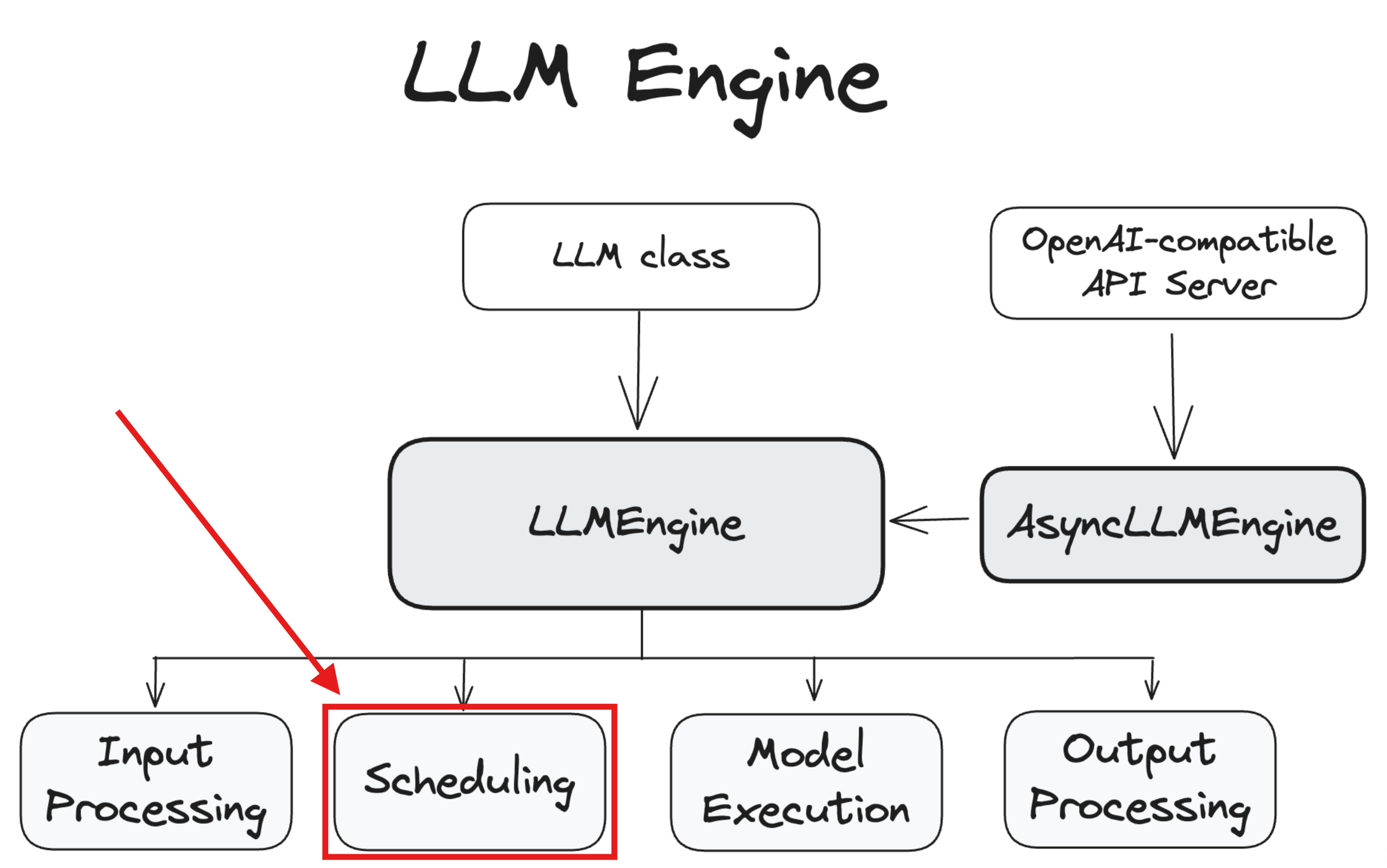
Each section will include runnable code, metrics, and diagrams to show how these strategies behave in practice — not just in theory. Let's start at the beginning: what happens when you serve LLMs one request at a time?
No Batching: One Request at a Time
The most straightforward way to serve an LLM is also the least efficient: handle one request at a time. Each prompt comes in, you tokenize it, run a forward pass, generate the output, and then move on to the next request. It’s simple, intuitive… and slow.
Why? Because large language models are autoregressive. That means they don’t generate the full output in one go — they generate tokens one by one, and each token requires a full forward pass through the model.
Now imagine you’re serving 8 users, each waiting for a 32-token response. If you serve them sequentially, you’re doing 8 × 32 = 256 forward passes — one at a time, even though the GPU could’ve handled them in parallel.
The following shows how sequential flow will look like. Basically, we’re tokenizing each prompt and pass it to the model one by one.
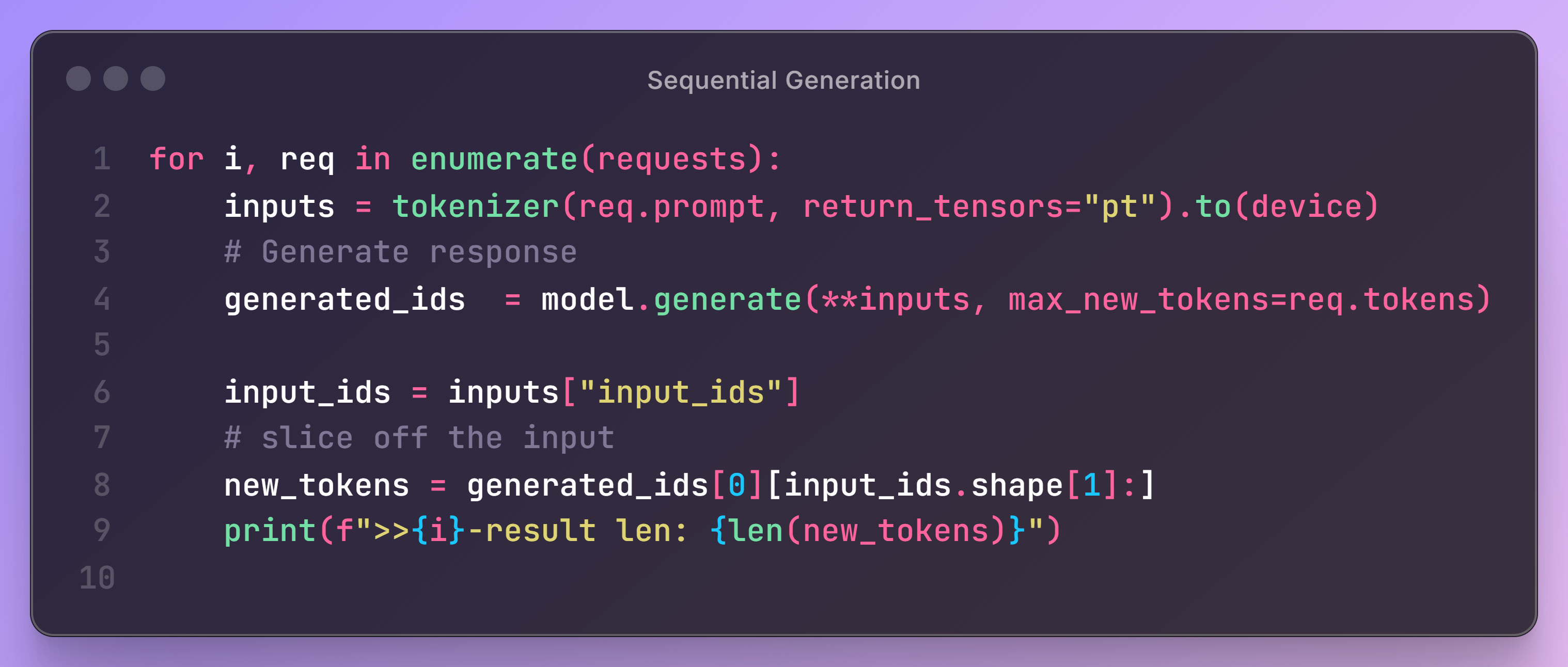
⏱️ Total execution time for all requests: 12.95 secondsAnd our GPU utilization looks like this:
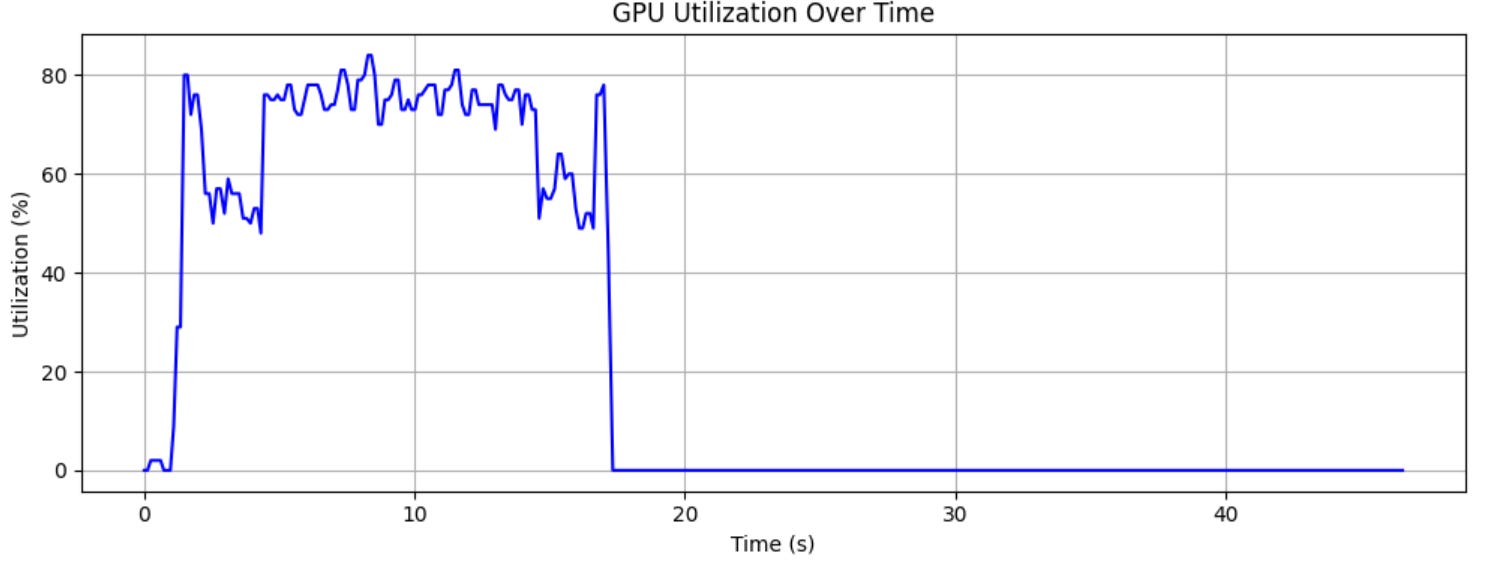
You can see it barely reaches 80% with a lot of dips to ~50%. Basically half of the money you paid for the system has gone to waste.
Serving requests one-by-one might work for a prototype or demo, but it breaks down quickly in production:
Long tail latencies grow linearly with user load.
GPU time is wasted between decoding steps.
You have no way to scale beyond a few concurrent users.
In the next section, we’ll see how static batching improves throughput by grouping requests together — but also introduces new limitations when sequence lengths vary.
Static Batching: Better, But Not Quite There
Once you realize that serving LLMs one request at a time wastes GPU cycles, the next natural step is static batching. It’s a common trick in traditional deep learning workloads: group several requests together into a single batch, and run them all in one forward pass. This allows the GPU to process multiple sequences simultaneously and increases compute utilization.
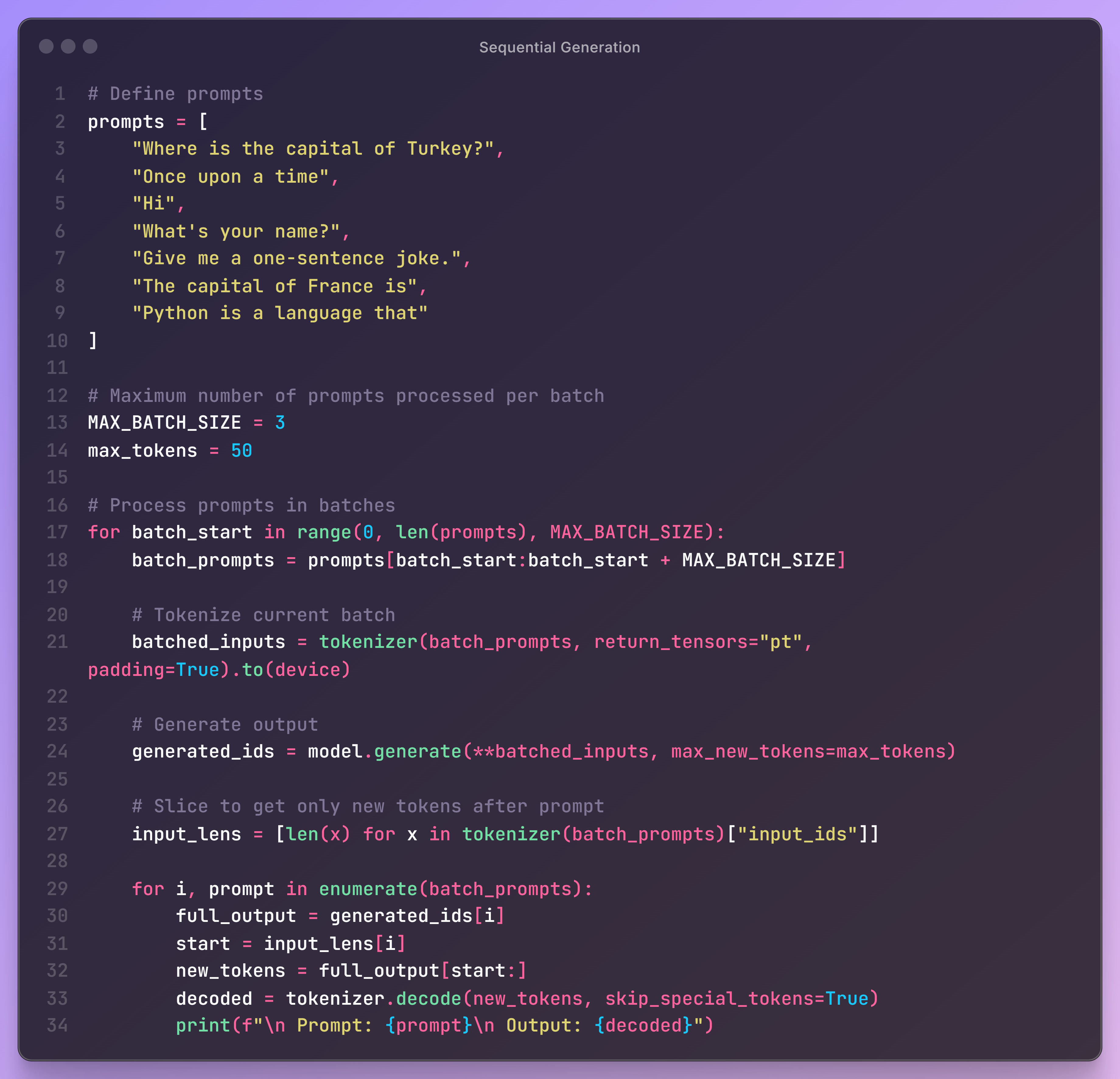
⏱️ Total execution time for all requests: 6.52 secondsAnd the GPU utilization looks like:
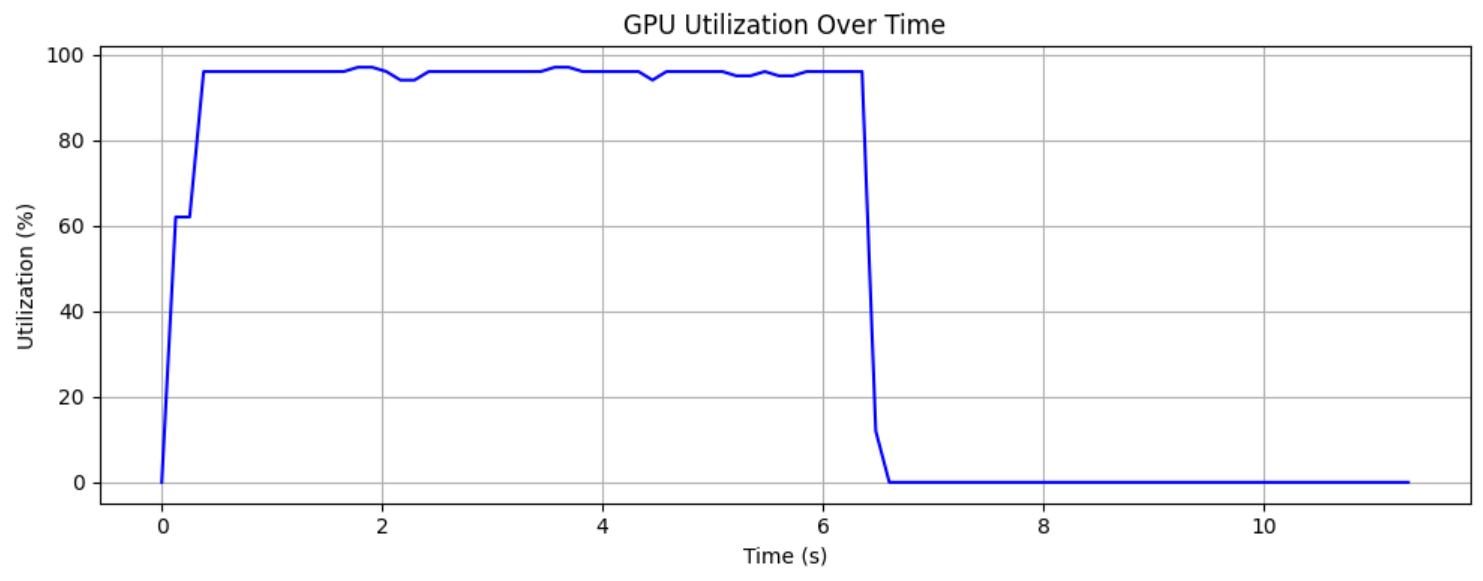
Congrats, we’re steadily hitting near 100% GPU utilization.
And it works — to a point. But LLM inference introduces a twist: each request might require a different number of tokens, and once generation begins, they will finish at different times.
I invite you to take a look at the execution details. We see Batch 0 finish responding on step 7 and the rest that Batch was just doing empty busy work. Basically, once one sequence finishes, its slot is wasted until the batch ends.
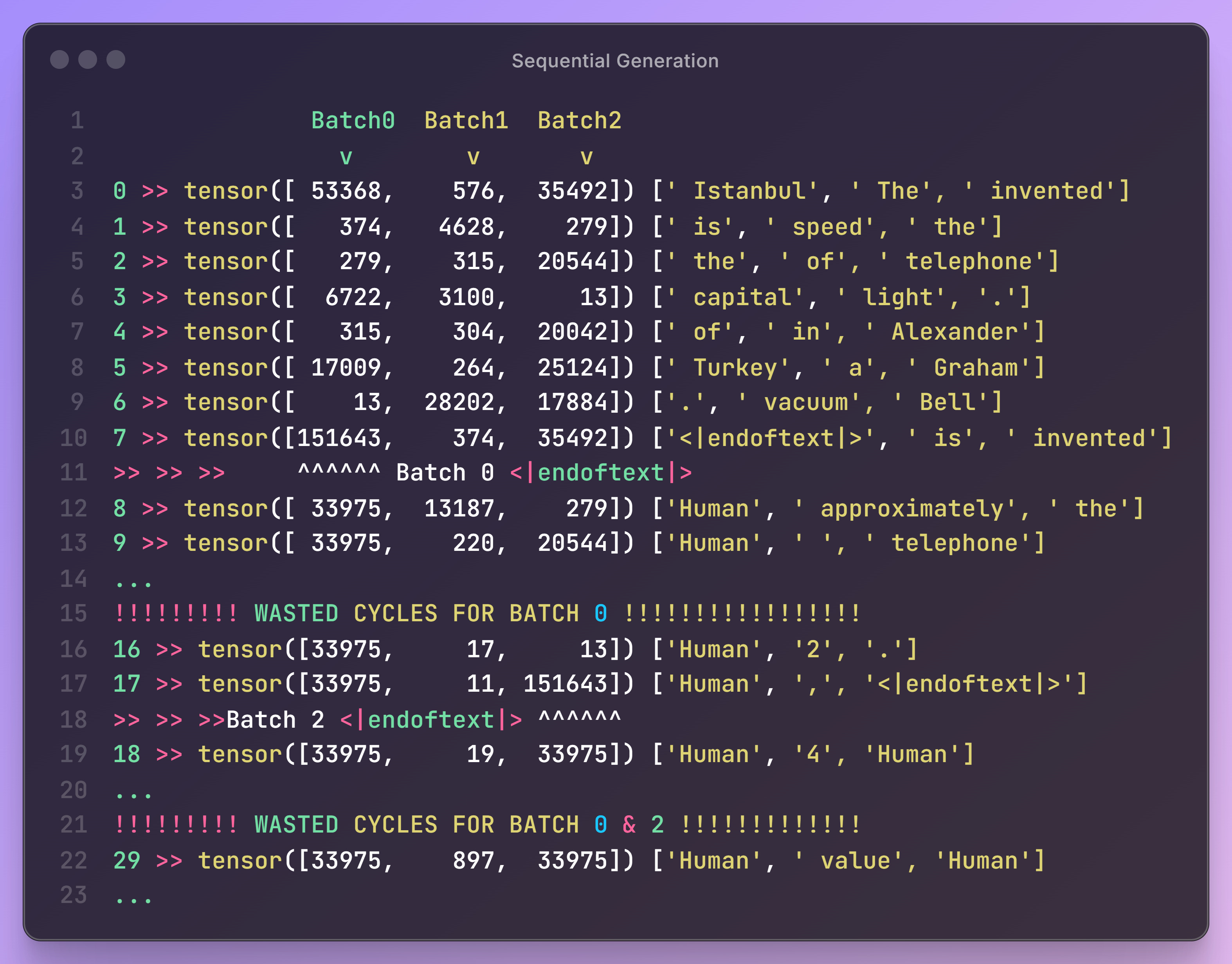
Let’s calculate how much wasted cycles we had.
Imagining 3 batches and 50 max token length, we had 150 cycles that we could use to generate something useful. We see Batch 0 finished on step 7 (taking 8 cycles) and Batch 2 finished on cycle 17 (taking 18 cycles). And Batch 1 continued until uses all it’s cycles (taking 50).
Haha, you thought we used 100% of the GPU so we must be pretty efficient. I wish it was that easy. Now that we know what’s happening and the source of in-efficiency, we’re ready to explore
Static batching is a step up — but still not production-grade. We need a solution that can:
Keep the GPU busy,
Let new requests in mid-stream,
And stop wasting tokens on finished sequences.
That’s where continuous batching — the core idea behind vLLM — changes the game.
Continuous Batching: Keeping the GPU Busy, Always
Static batching got us partway to an efficient serving solution — but it’s rigid. All requests must start together, finish together, and stick around even after they’re done. What if we could build a system that allowed dynamic entry and exit — where new prompts could be added mid-generation and completed ones could be removed immediately?
This is where stream-style dynamic batching comes in. Instead of treating a batch as a fixed unit, we treat it as a flexible queue. At every decoding step, we:
Collect all "alive" sequences.
Generate the next token for each.
Remove completed sequences (e.g. those that hit
eos_token_idor hitmax_new_tokens).Add new requests to fill up the batch to its capacity.
This approach keeps the GPU utilization high and avoids wasted cycles caused by idle requests.
It took me half a day to nail the algorithm down and make sure it’s working without issues. Specially that in this new approach, we couldn’t rely on model.generate() function and needed to implement the forward pass and decoder ourself.
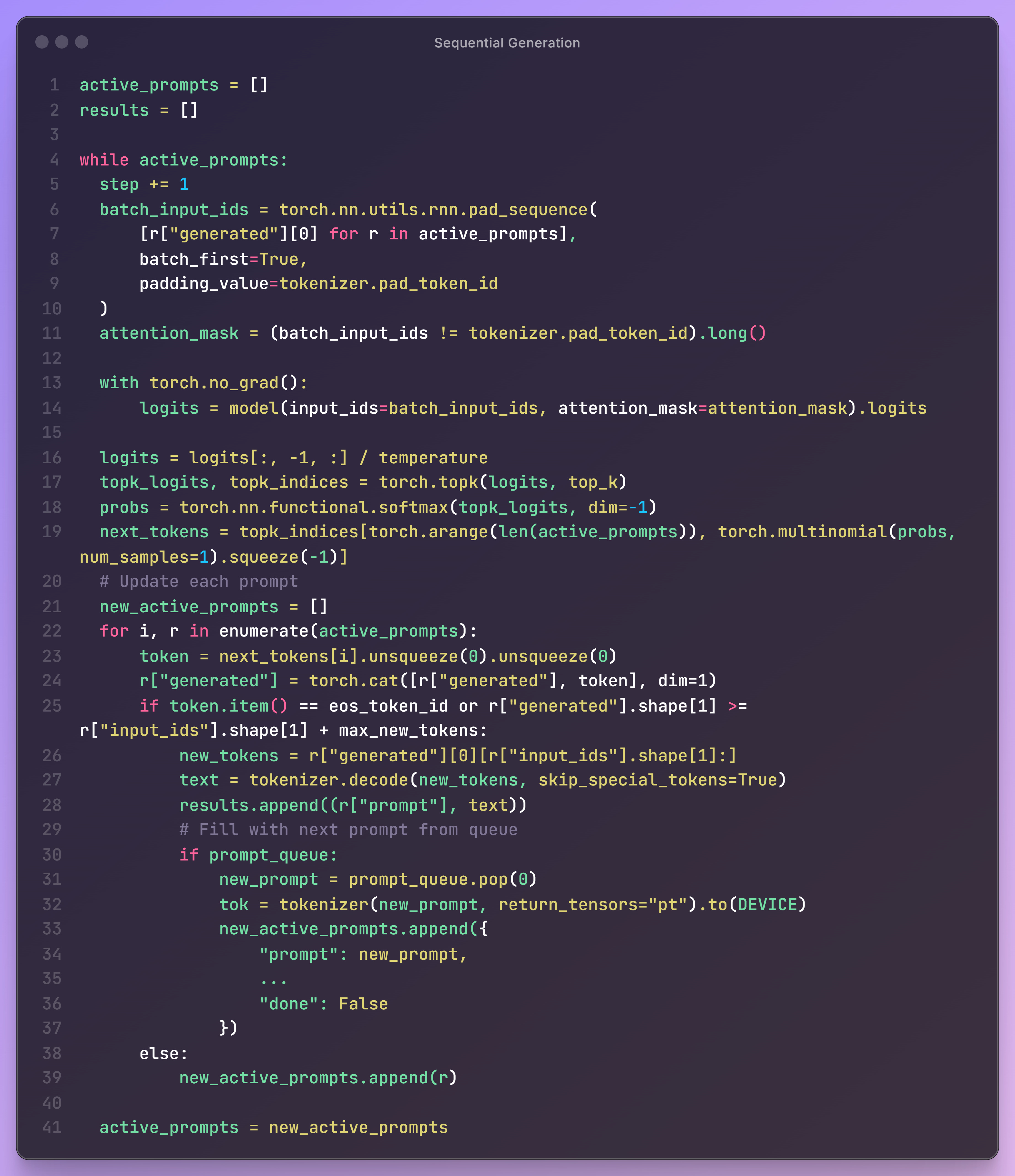
⏱️ Total execution time for all requests: 5.02 secondsThat’s about 23% faster than our previous attempt with static batching. Here is how it works in practice:
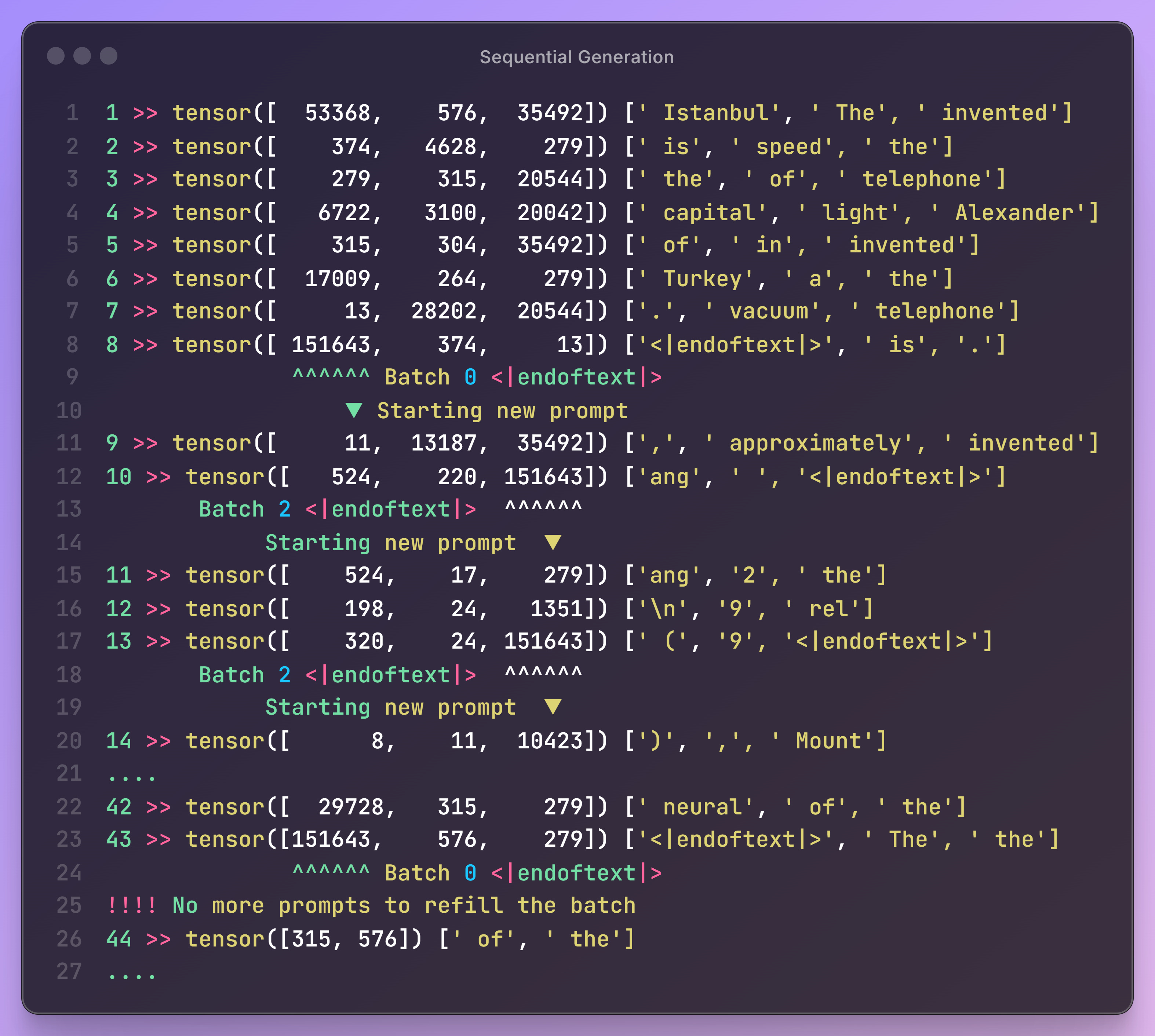
And… you can see when answering a prompt finishes, it will automatically replace it with a new one.
That’s it, you know state of the art scheduling. The rest is making it more fancy with preprocessing, post processing and async functions. If you want to dig deeper, you can take a look at the code in async_llm_engine.py; or, wait for the next article to review the next concept.
Nicely explained, thank you.